
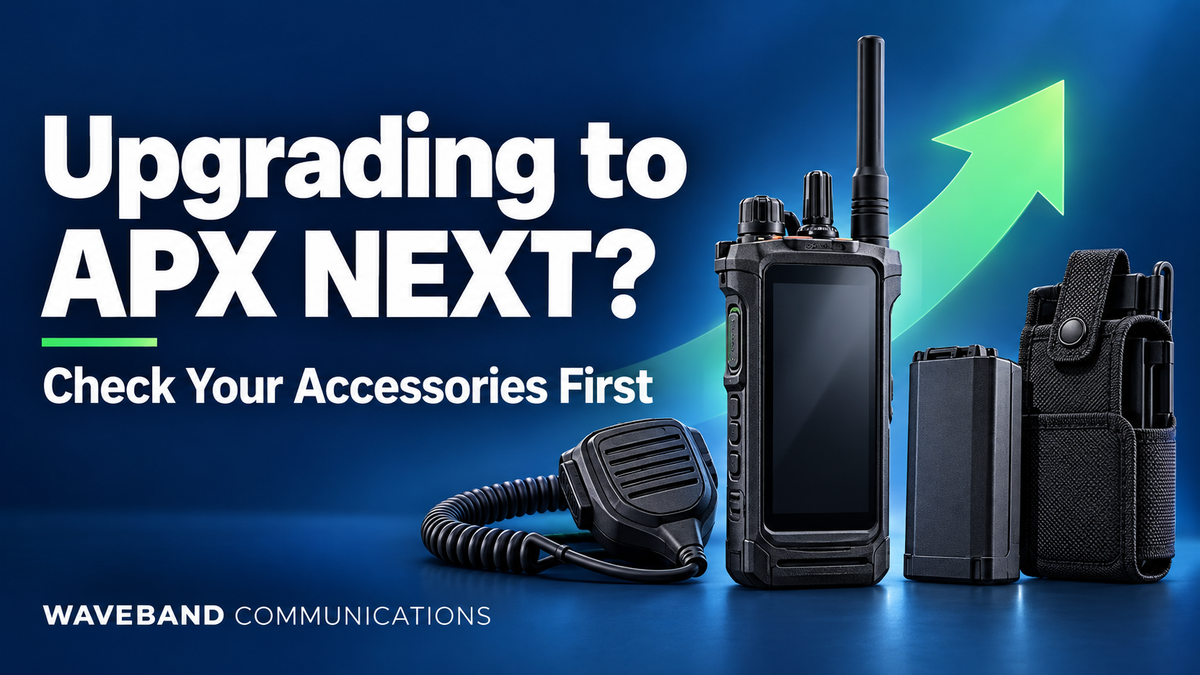
Upgrading from Motorola APX 6000 to APX NEXT? Check Your Accessories Before Buying
A radio upgrade affects more than the radios on your purchase order. Your team also needs working microphones, comfortable earpieces, dependable power and cases that fit the new equipment.
If your agency is moving from Motorola APX 6000 to APX NEXT, start with an accessory inventory. Review each part number before deciding what to keep, replace or include in a fleet quote. This gives purchasing staff a clearer budget and helps users receive complete kits on deployment day.
APX 6000 vs. APX NEXT accessory compatibility
Motorola identifies a shared GCAI audio connector on standard APX radios and APX NEXT. That is a useful starting point, but it does not verify every accessory SKU, housing or function. Its documentation also identifies different batteries and charger requirements.[1]
Use the table below to sort your inventory. Reusable means retain after exact compatibility and condition checks; replace means budget for the new platform; confirm compatibility means get a decision on the specific part number before issuing it.
| Accessory | Decision | What to check |
|---|---|---|
| Wired speaker microphones | Confirm compatibility → reusable if approved | Exact SKU, connector housing, mounting clearance, PTT and any additional controls. |
| Earpieces and surveillance kits | Confirm compatibility → reusable if approved | Direct-radio versus microphone connection; plug type, adapter and complete kit SKU. |
| Headsets | Confirm compatibility → reusable if approved | Headset, PTT module and radio cable as one assembly. |
| APX 6000 batteries | Replace | Order batteries approved for the exact APX NEXT variant.[1] |
| Chargers | Confirm compatibility | A compatible APX IMPRES 2 multi-unit base may be reusable with APX NEXT pockets. Check model and software.[1] |
| Fitted APX 6000 cases | Plan replacement; confirm any proposed reuse | Radio and battery dimensions, retention, display access and connector clearance. |
Identify your destination model first. APX NEXT XE needs different carry accessories from standard APX NEXT. APX NEXT XN has a unique battery and additional audio requirements in hazard-zone mode.[1] Put the full model name on every quote request.
1. Check your APX NEXT speaker microphone
Record the microphone part number, including its suffix. Photograph the connector contacts and housing, then ask for confirmation against your new radio model. Before a fleet rollout, test a sample for transmit audio, received audio, PTT operation, secure attachment and any buttons your users rely on.
For replacement purchasing, Waveband lists the APX NEXT Speaker Microphone, SKU WX-8010-M-P08, for APX NEXT and APX NEXT XE. The listing includes a 3.5 mm non-threaded receive-only earpiece jack and specifies no emergency button.[2] Include required controls in your purchase specifications.

2. Separate earpieces from complete surveillance kits
List a receive-only earpiece separately from the microphone it connects to. For a direct-connect surveillance kit, record the entire kit, including its radio connector and any adapter. Describe whether your users need private listening only or both listening and transmission.
A replacement option is the APX NEXT Two-Wire Surveillance Kit, SKU WV5001-M11 (B). Waveband lists a direct APX NEXT connector, acoustic tube and separate microphone/PTT wire.[3]

3. Review headsets with their cables and PTT modules
A headset inventory should identify every component between the user's ear and the radio. Photograph cable labels, quick-disconnect fittings, adapters and PTT modules. Ask for compatibility confirmation on the complete configuration.
For low to moderate noise environments, consider Waveband's Direct Connect Lightweight APX NEXT Headset, SKU WV4-1013-M11. The listing describes a single-ear design, adjustable headband, boom microphone and in-line PTT.[4] Include helmet use, hearing-protection requirements and preferred wearing style in your quote request.
4. Budget for batteries and spare power
Build a battery plan around issued radios, spare radios, shift schedules and charging opportunities. Include both the battery supplied with each new radio and the additional spares you expect to purchase. Record the required safety certification with the radio configuration.
Ask for the exact approved battery part number in the quote. Keep existing batteries assigned to the APX 6000 units remaining in service, and label storage locations clearly during the transition.
5. Check each charger location
Audit charging equipment at desks, equipment rooms and in vehicles. Photograph each charger's label and existing pocket. Include base part number, pocket part number, software version if available, and the number of charging positions needed.
Motorola identifies NNTN8844 as a charger requiring a software update when using the specified self-calibrating batteries.[1] Request a written recommendation covering the base, pockets and battery you intend to use together.
6. Fit-test cases with the complete radio setup
Evaluate a case with the intended battery and audio accessory installed. Test retention, radio removal, belt attachment and access to frequently used controls. Check the fit while seated and while wearing normal duty equipment.
For standard APX NEXT, Waveband lists the APX NEXT Leather Holster, with fixed and swivel belt-loop options. The displayed fixed-loop SKU is WV-2160B.[5] Specify the desired variant when ordering.
Send this fleet checklist for a quantity quote
Copy the checklist below into your request. Attach an inventory spreadsheet and clear photographs of accessory labels, connector contacts, charger pockets and cases.
- Agency or department:
- Contact name, email and phone:
- Current radio models and quantities:
- New radio model: APX NEXT / APX NEXT XE / APX NEXT XN:
- New radios being deployed and rollout date:
- Accessory inventory: category, complete part number, quantity and condition:
- Required microphones, earpieces and headsets by user role:
- Required controls, wearing style and safety certifications:
- Battery quantities, spare requirements and shift length:
- Charger base and pocket part numbers; desk, vehicle and shared locations:
- Case style, belt attachment and intended battery configuration:
- Replacement quantities, spare quantities and delivery location:
- Request: compatibility review and itemized quantity quote.
Use one spreadsheet row per part number. Ask for the proposed replacement SKU, quantity and compatibility decision on each line so purchasing and radio support staff can review the same plan.
Build your APX NEXT accessory plan
A part-number review gives you a practical starting point for the rollout: approved equipment to retain, replacement items to order and open questions to resolve before deployment.
If APX 6000 radios will remain in service, maintain a separate inventory for that group. You can browse our APX 6000 accessory collection alongside the new fleet's purchasing list.
Ready to equip your new radios?
Get a Fleet Compatibility Quote
Send your checklist to support@wvbandcoms.com or call 1-800-806-1076.
Sources
- Motorola Solutions APX N line Portable Radio FAQ, September 2026; Accessories and APX NEXT XE sections.
- Waveband APX NEXT Speaker Microphone.
- Waveband APX NEXT Two-Wire Surveillance Kit.
- Waveband Direct Connect Lightweight APX NEXT Headset.
- Waveband APX NEXT Leather Holster.
Compatibility decisions apply to exact part numbers and radio configurations. Product listings and manufacturer requirements can change; confirm them when ordering.